How the measurement works
Print the template, mark two points on your arm, take four photos and send them to macu4. They become the 3D model for your socket, once someone at macu4 has checked them.
Before you start, please gather:
- Smartphone or digital camera
- A person who can take the pictures
- A printed macu4 measurement template (DIN A4)
- A credit-card-sized card (do not use a business card)
- A skin-friendly pen with dark ink
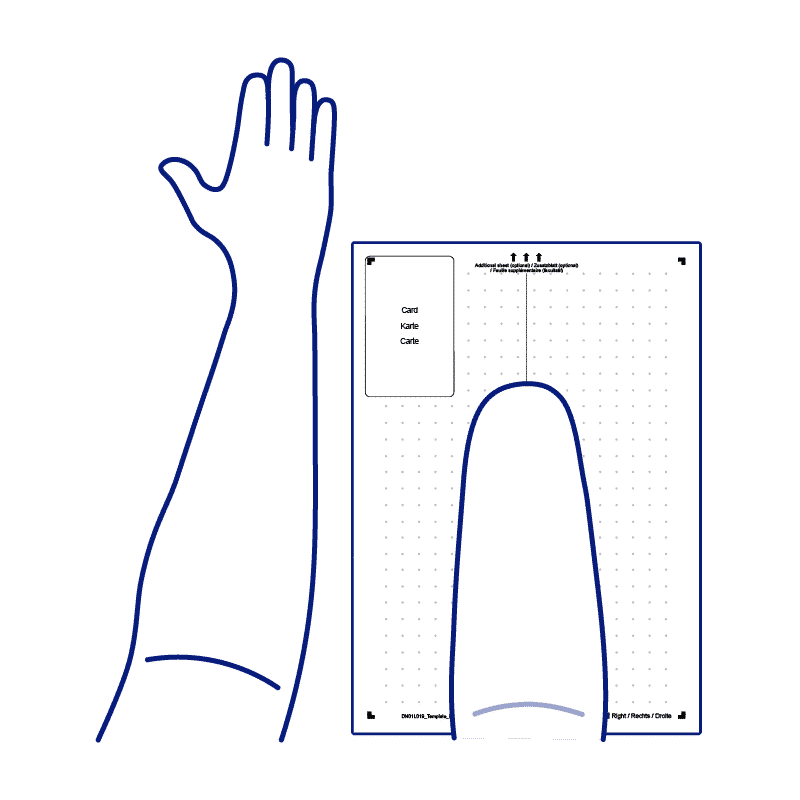
- An additional white A4 sheet, placed at the end of the template if the arm is longer than it
Measure the arm with a tape as well, if you can, and keep the numbers. If one of the photos cannot be used, they can save you a second appointment.
Print & Validate Template
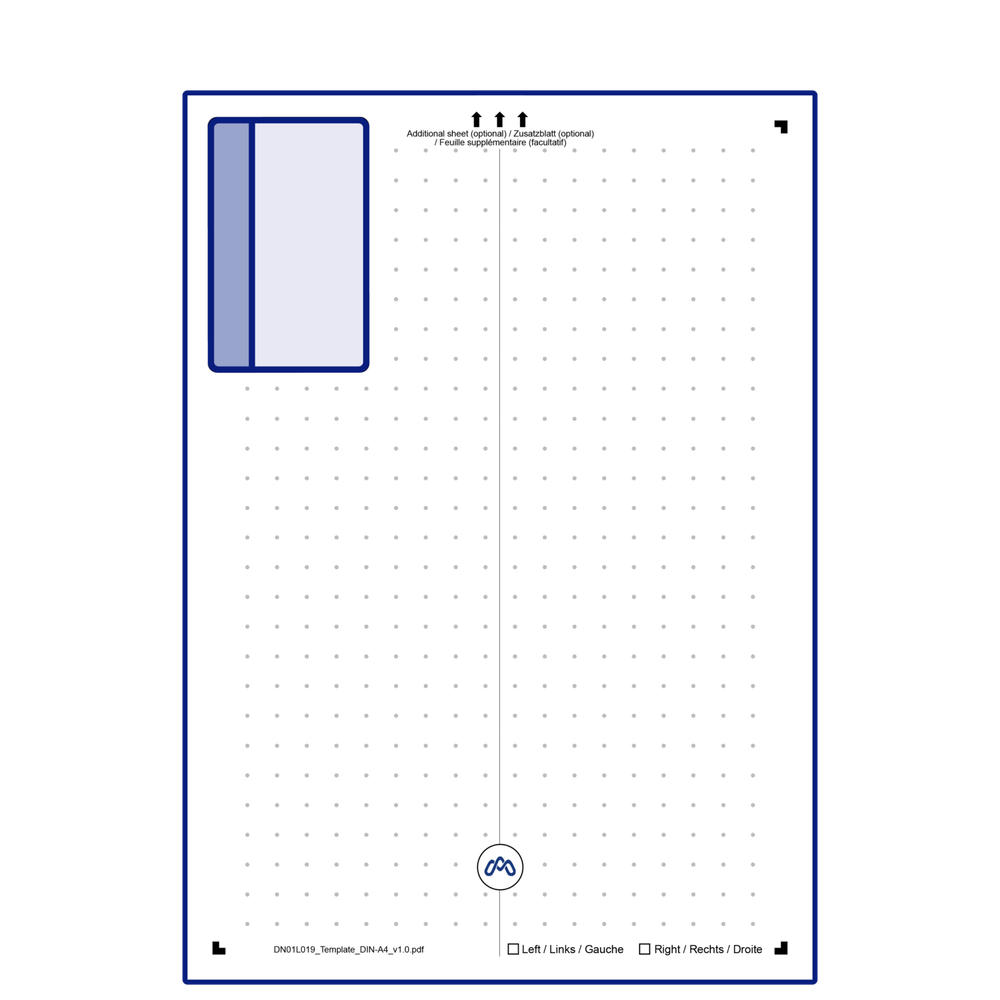
Download and print the macu4 template at 100% scale (no scaling). Make sure you use a credit-card-sized card to control that the template was printed correctly — place it on the card field, it must fit exactly. Note: a business card does NOT have credit-card-sized dimensions. Leave the card on the template for the first photo.
Mark Reference Points on Arm
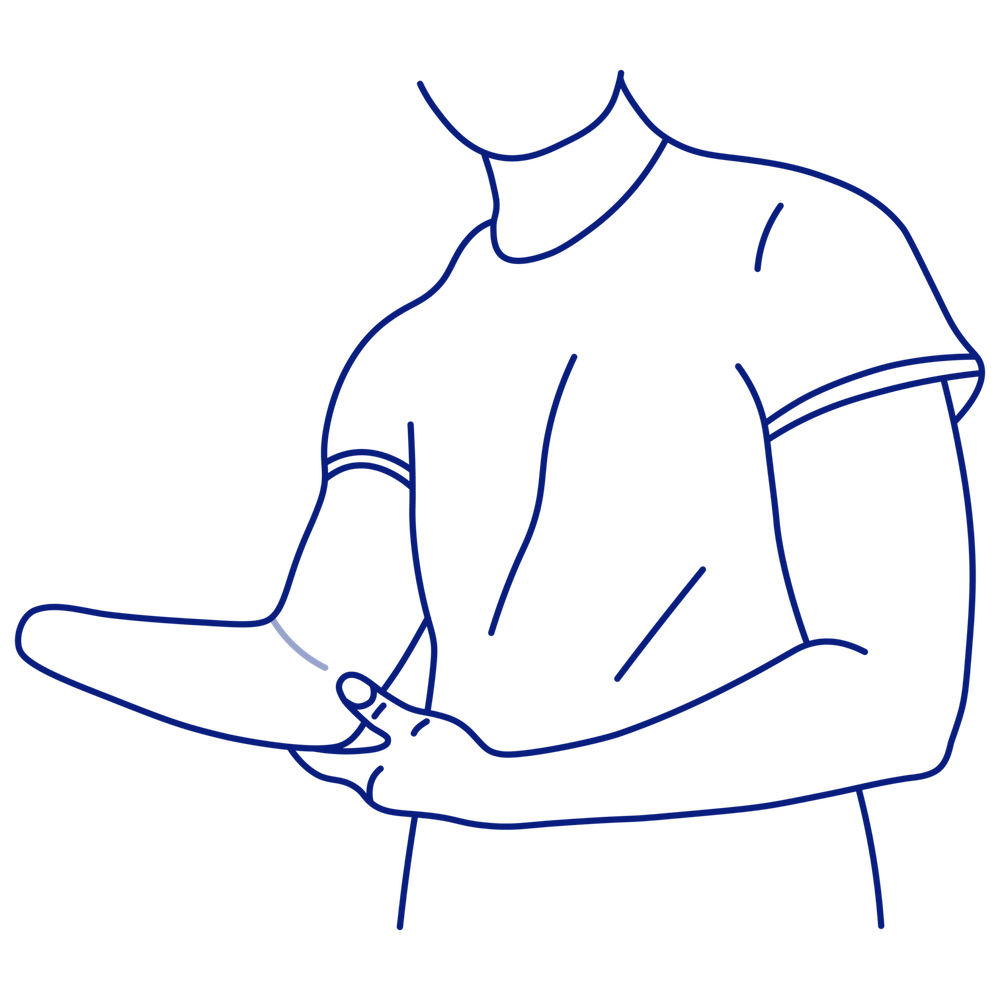
Point 1 - Epicondylus Medialis: the bony prominence on the inner elbow. Mark it with the pen.
Point 2 - Antecubital Fossa: the elbow crease where blood is usually drawn. Mark it and draw a straight helper line of approx. 50 mm through it.
Take the photos
Take two photos of the affected arm in different positions, then one comparison photo of both arms. Take all photos perpendicular to the template, from 75 cm – 1 m distance, in good even lighting. Lift the arm slightly so soft tissue does not distort the measurements.
The required photos
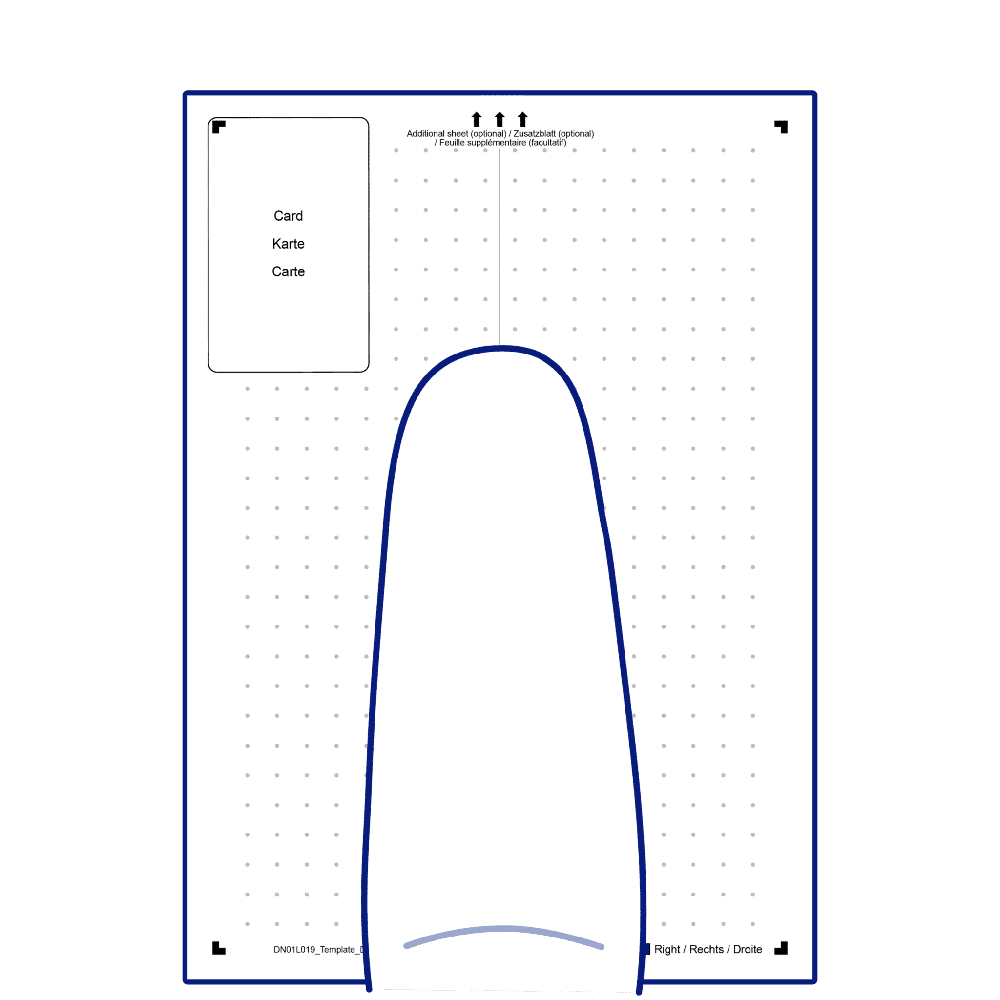
- Photo 1 — Affected arm extended along the dashed line. Elbow on the logo circle. Both marks & helper line visible.
- Photo 2 — Same arm rotated 90° so Point 1 (Epicondylus Medialis) is centered on the logo circle.
- Rotate the arm a full 90°, not part of the way. The automatic check cannot detect this, so it is worth confirming yourself before you send.
- Photo 3 — Both arms extended side-by-side on the template, elbow creases visible (length comparison).
Final check & submission
Before sending the photos to macu4, please confirm the following:
Send photos to macu4 for validation
macu4 will check that the photos meet the measurement requirements and confirm the 3D model can be produced.